


In just a few years, Cursor AI, the first product from Anysphere, has gained huge traction in the software market, and Anysphere has increased its company value to $9BN in recent months.
Nowadays, Cursor AI is considered the leader in the developer AI tools market and offers multiple ways to increase software developer productivity. Many companies are reviewing their policies regarding paid developer AI tools and how to keep up with the fast-paced evolution of LLM capabilities.
A few months ago, Anysphere released Cursor CLI and Cursor Cloud agents API, which offer new possibilities to interact with models in your pipeline workflows. Using a single company subscription, it is possible to manage the usage of Cursor for all your engineers, and using the new User API Keys, it is possible to handle access to Cursor from your pipelines. Let’s explore these new products in this article.
Autocompleting your code with Cursor AI Tab model
When you start using Cursor AI, the Desktop Java IDE, with your repository, the capacity to predict the next steps when you are coding and the capacity to autocomplete comes from Cursor Tab, a specialized local model which interacts with your Java classes, records, or interfaces. The Tab model is able to autocomplete the missing parts like imports, getter/setter methods, and initial logic associated with the method signature. And this is the magic: with methods that have good naming, good javadocs, and good signatures, the Tab model can sometimes predict the logic inside the method. For example, if you have to create a test, it is able to suggest a few ideas to implement the test. Another nice use case for the Tab model is when the class has some repetitive tasks, it is able to autocomplete the next action based on the previous actions from the software engineer.
Sign Up for Our Newsletter
Stay Tuned & Learn more about VibeKode:
Improving the planning phase with a new Plan mode
Traditionally, Cursor AI has included the development modes Ask & Agent. The first one is dedicated to answering questions about code or other topics, like: ‘Can you provide functional alternatives to this Java method?’ Agent mode is designed to delegate a task to be executed by models, like: ‘Can you refactor this method using alternative 3 provided before and verify changes with ‘./mvnw clean verify.’ But sometimes when you are using Agent mode and the task is a bit more complex than usual, it could require some planning like in the real world, and recently Cursor added this feature.
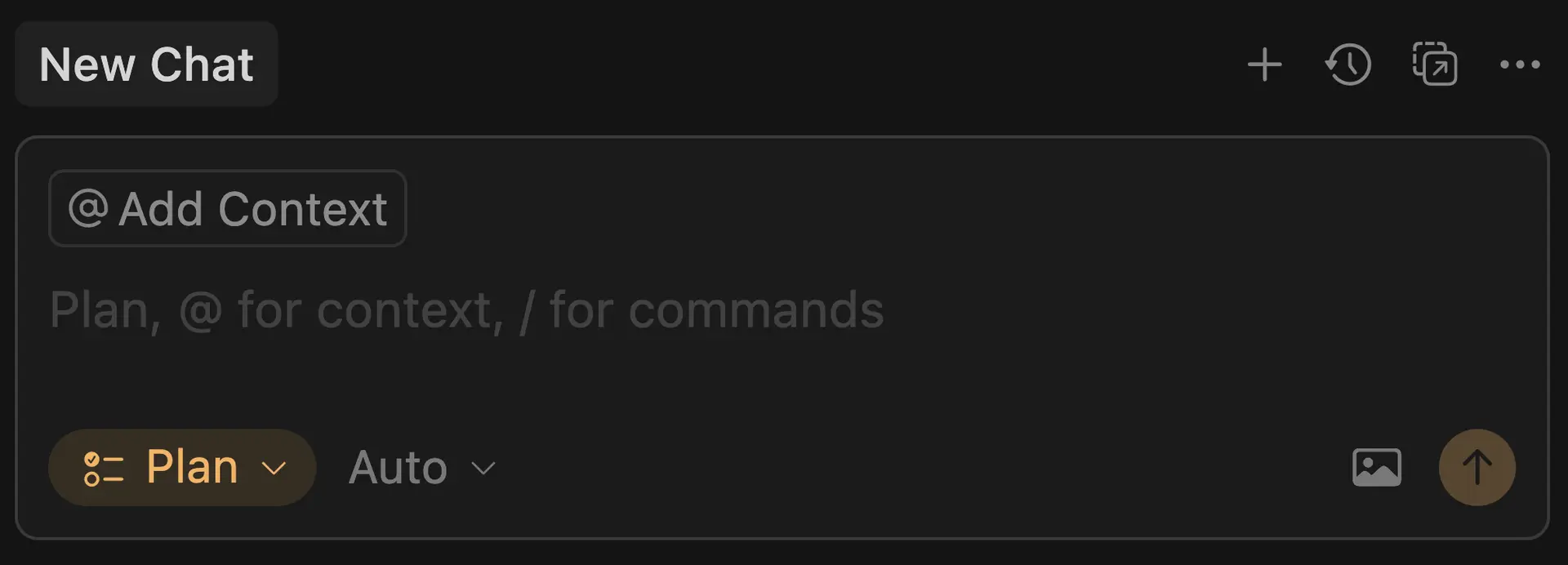
Fig. 1: New Cursor Plan mode
Using Plan mode, Cursor AI analyses in detail the User prompt and designs a specific plan to solve your problem.
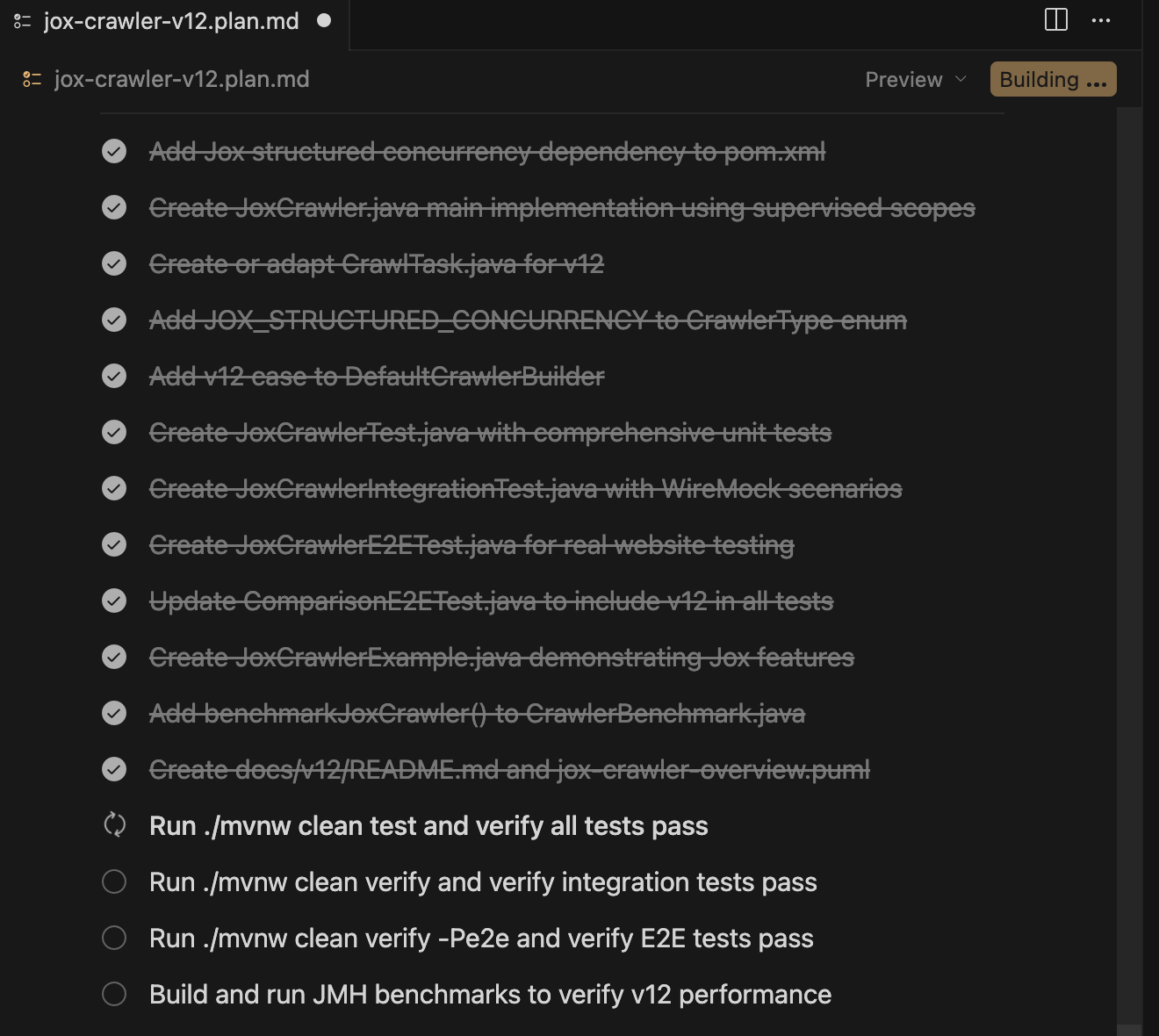
Fig. 2: Following a Cursor plan mode in action
Data privacy ensured
One of the most common aspects of AI tooling that generates questions is everything related to security. When you use models, you send your corporate code in the HTTP requests to Cursor and later to the different models that you use, so Cursor needs to implement safe policies to protect your code. For this purpose, Cursor is SOC 2 Type 2 certified, the main architectural components are audited, and it has clear agreements with main model providers.
Fig. 3: Following a Cursor plan mode in action
The user could configure the data privacy options in the IDE:
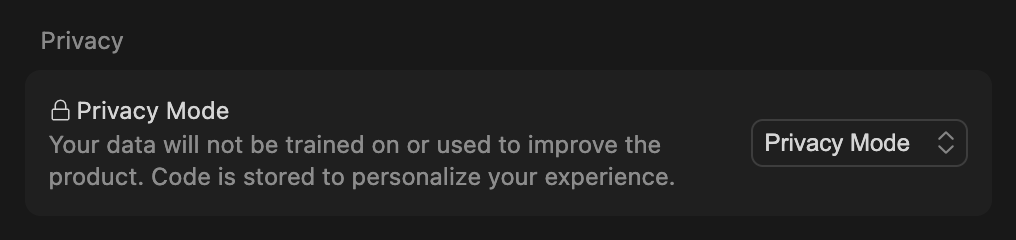
Fig. 4: Following a Cursor plan mode in action
Or be configured in a centralized way in the dashboard:
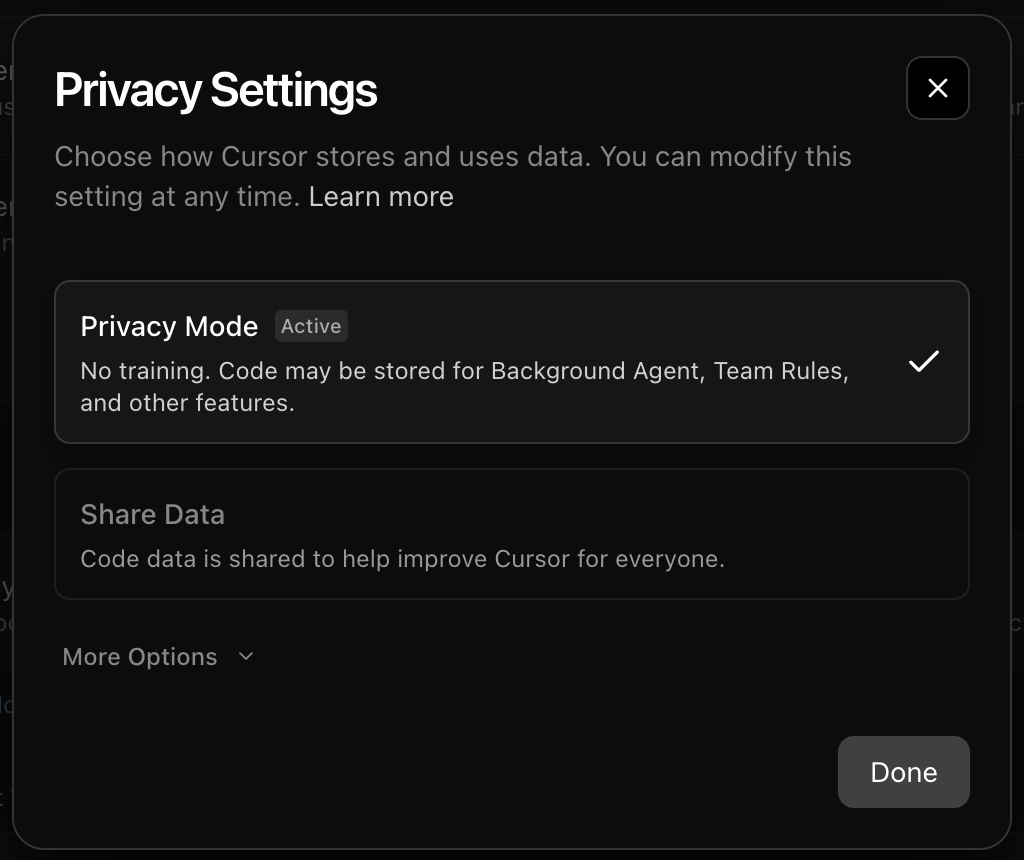
Fig. 5: Following a Cursor plan mode in action
Sign Up for Our Newsletter
Stay Tuned & Learn more about VibeKode:
Using Cursor capabilities from the terminal, the CLI alternative
Not everyone feels comfortable with all Java IDEs, at the end it is a tool that uses several hours every day, if this is your case, maybe you could consider using Cursor CLI. With this motivation in mind, Anysphere expanded its offering to software developers by providing a CLI tool to interact with the Cursor platform for your development activities.
Installing Cursor Agent, the Cursor CLI, is super easy. Open a terminal and execute:
curl https://cursor.com/install -fsS | bash
Once you have installed it, type:
cursor-agent
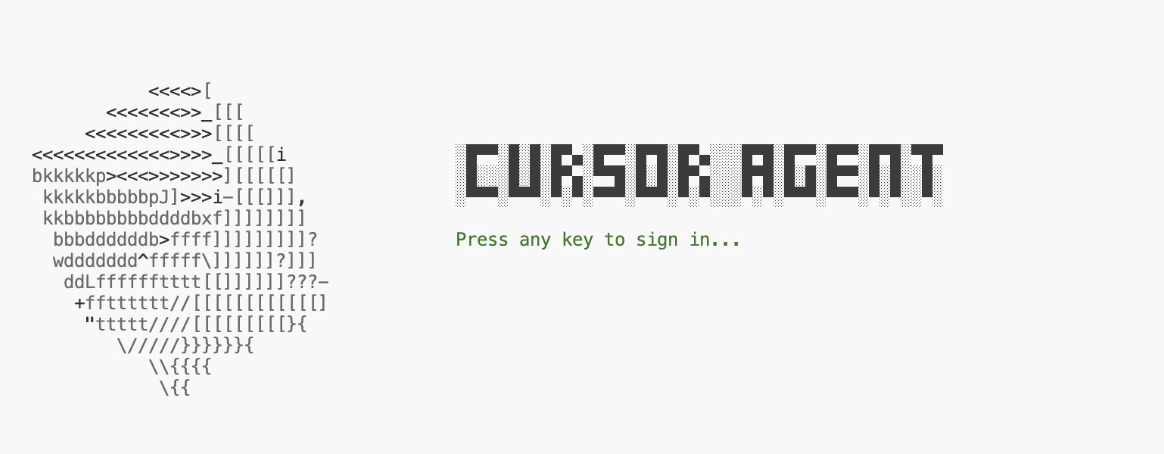
Fig.6: Cursor Agent installation screen
With this alternative to Cursor AI, developers now have more options for their daily work. On the other hand, you could use Cursor AI in cloud dev environments with the help of Devcontainers without any issue.
Review your Pull requests with BugBot
If your team uses the pull requests to merge feature into main branch, you might consider enriching the PR experience using BugBot which reviews pull requests and identifies bugs, security issues, and code quality problems.
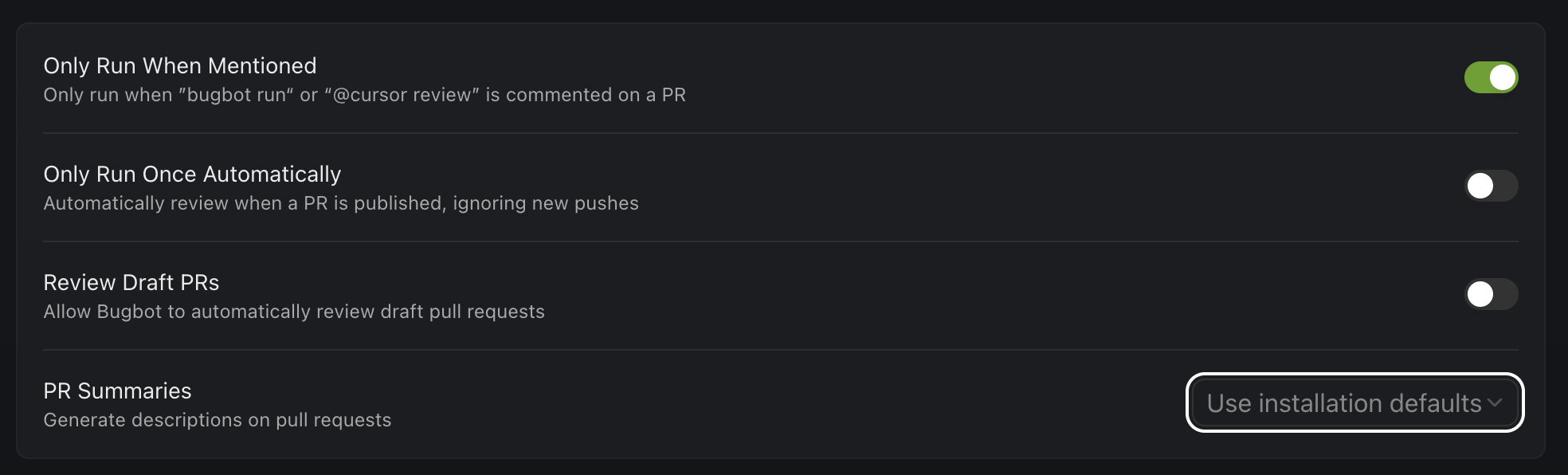
Fig.7: Cursor BugBot configuration
This solution could be a good complement for the manual review or the automatic static code analysis.
Delegating development tasks to Cursor Cloud agents API
Recently, Cursor released a new product named Cursor Background Agents API, which allows organizations to handle the full lifecycle of AI-powered coding agents to work on your GitHub repositories and create PRs in a programmatic way. This new service is organized into 3 different sets of endpoints:
- Agent Management (Launch an Agent, Follow-up, Delete Agent)
- Agent Information (Get Agent status, List of agents & Provide the agent conversation)
- General (List of Models, List of Keys & List of Github repositories)
This idea is awesome because using a REST API client, it is easy to integrate with this new cloud service and you could enrich your pipelines with new automation or delegate some tasks from local to the cloud.
Example about potential DevOps pipeline enhanced:

Fig. 8: Automation workflow scenario with Cursor Cloud Agents API
To use this solution, you need to generate an API KEY from your dashboard:

Fig. 9: API Key generation example
Once you have the API Key, you could launch a Remote agent in this easy way from your terminal:
curl -X 'POST' \
'https://api.cursor.com/v0/agents' \
-H 'accept: application/json' \
-H 'Content-Type: application/json' \
-H 'Authorization: Bearer <token>' \
-d '{
"prompt": {
"text": "Create a Java Hello World program and verify the results when compile and execute it"
},
"source": {
"repository": "https://github.com/your-org/your-repo",
"ref": "main"
},
"target": {
    "autoCreatePr": true
},
"model": "Default"
}'
Or you could generate a Java Http Client using an OpenAPI generator from the source: https://cursor.com/docs-static/cloud-agents-openapi.yaml
If you need to understand the details about the different endpoints, you could review the following online resources:
- https://editor-next.swagger.io/?url=https://cursor.com/docs-static/cloud-agents-openapi.yaml
- https://cursor.com/docs/cloud-agent/api/endpoints#endpoints
Note: This service is in Beta phase.
Cursor rules homogenize model responses to your user prompts in Java.
Define a set of instructions given to an AI model that defines how it should behave, and this idea is valuable because not every organization implements solutions in the same way. If you can define some guidelines about different aspects of your development, it could be great. Imagine the case of one company with a functional programming culture that will use some new features released in Java, like lambdas, records, pattern matching, sealed classes, and other organizations that are not interested in this style, you could instruct models to return answers with these ideas in mind.
Cursor provides a way to create Cursor rules by taking ideas from the repository, or you could use specialized Cursor rules defined in ready-to-use repositories from GitHub or websites.
Sign Up for Our Newsletter
Stay Tuned & Learn more about VibeKode:
Cursor adhered to the Agent.md initiative
Recently, Cursor adhered to the new Agent.md initiative in order to help Cursor products understand the Agent.md file, which includes ideas about how models should use a particular Git repository. If you take a look at any repository, it includes a README.md file which helps software engineers to understand how to begin, the repository’s purpose, and how to contribute to it. On the other hand, AGENTS.md closes the loop because it is designed for models adding information that it is required like build steps, tests approach, and conventions that might clutter a README or aren’t relevant to human contributors.
Conclusions
Cursor continues adding new useful capabilities for software development, and the team behind the different products/services releases with high cadence. Every new feature added to their products enriches the Software Development Life Cycle (SDLC) in different aspects. Analyzing the different DORA metrics with the different Cursor products/services, the positive impact is clear:
| Deployment Frequency (How often a team releases code to production) | Lead Time for Changes (The time it takes for a code commit to be deployed into production) | Change Failure Rate (The percentage of deployments that result in a failure in the production environment) | Mean Time to Recover (The average time it takes to restore service after a production failure) | |
|---|---|---|---|---|
| Cursor Tab Model | X | X | ||
| Plan Mode | X | X | ||
| Plan Agent | X | X | X | |
| Cloud Agents | X | X | X | |
| Bug Bot | X | X |
If you are a new user of the Cursor product, you could take out a subscription and experiment with the autocomplete features from the Cursor Tab Model. Later, use Ask mode to ask questions about different alternatives to implement a feature, then refactor the code from Ask mode using Agent mode, and finally go a bit further and try to solve a complete feature from scratch by creating a plan based on Plan mode to see the results. We are living in a new age of software development.
References
- https://www.hiive.com/securities/anysphere-cursor.com-stock
- https://cursor.com/home
- https://trust.cursor.com/
- https://cursor.com/security
- https://cursor.com/privacy-overview
- https://trust.cursor.com/subprocessors
- https://privacy.anthropic.com/en/articles/8956058-i-have-a-zero-data-retention-agreement-with-anthropic-what-products-does-it-apply-to
- https://cursor.com/enterprise
- https://cursor.com/data-use
- https://cursor.com/cli
- https://cursor.com/docs/bugbot
- https://cursor.com/docs/cloud-agent
🔍 Frequently Asked Questions (FAQ)
1. What is Cursor AI and who developed it?
Cursor AI is a developer-focused platform created by Anysphere that integrates AI coding assistance directly into IDEs and terminals, enhancing software engineering workflows.
2. What is the Cursor Tab model and how does it assist coding?
The Cursor Tab model is a local AI tool that autocompletes Java code by predicting imports, methods, and logic based on naming conventions and documentation quality.
3. What is the new Cursor Plan mode used for?
Cursor Plan mode analyzes complex prompts and generates structured task plans, helping developers tackle multi-step or nuanced coding challenges more efficiently.
4. How does Cursor AI handle data security?
Cursor is SOC 2 Type 2 certified and implements secure architectural practices, ensuring the safe handling of corporate code sent through its models.
5. What is Cursor CLI and who should use it?
Cursor CLI is a terminal-based interface for developers who prefer command-line tools over IDEs, offering full access to Cursor AI’s capabilities via the shell.
6. How does BugBot improve code review processes?
BugBot is an AI-powered agent that reviews pull requests, identifying bugs, security issues, and code quality concerns, complementing both manual and static analysis.
7. What can developers do with the Cursor Background Agents API?
The API allows developers to automate coding tasks in GitHub repositories using cloud agents that can write, test, and open pull requests programmatically.
8. What is the Agent.md initiative supported by Cursor?
Agent.md is a standard file that provides models with build steps, testing strategies, and coding conventions, complementing the human-readable README.md.
9. How does Cursor AI improve software development metrics?
Cursor tools help optimize DORA metrics like deployment frequency, lead time for changes, and mean time to recovery by automating and enhancing development phases.
10.Can Cursor AI be integrated into CI/CD pipelines?
Yes, Cursor’s CLI and Background Agents API enable seamless integration into CI/CD workflows, allowing developers to manage AI agents and automate tasks directly.